Tuesday, August 13, 2013

DB Connection Failure - an Analysis

Effects of starting Performance Analyzer - without installing the Reports and Domain Definitions component.

Here I will describe what are the possible situations where you can possibly get the DB Connection failure message when you click on the  Performance Analyzer Configuration button on the TEPS GUI.

This can potentially happen if the PA Report and Domain Defintions component is not installed and the TEPS is reconfigured.  Until then this error will occur.

Some of the scenarios:
1. ITM is installed and you clicked on the PA configuration button, without installing the Performance Analyzer Reports and Domains component.
 
2. ITM is installed, OS Agent is installed an you brought up TEPS and clicked on the PA configuration button. ( without installing the PA Report and Domains component)

3. ITM is installed , OS Agent is installed , PA Reports and Domain Definitions is installed but the TEPS is not reconfigured .

4. ITM is installed, ITPA Reports and Domain is installed - but the OS Agent is not installed !( this was found on one such installation on a Windows server )
Below - I will walk thru the scenarios and show the error messages until the Reports and Domain is installed.     

1. ITM installed  ( All base components )

2. OS Agent is  *not installed.

3. Performance Analyzer Reports and Domain *not installed.

4 PA was configured to a Database successfully and started( I have not installed the Reports and Domain Defn's) but I can start it nevertheless. This can lead to the DB connection failure.
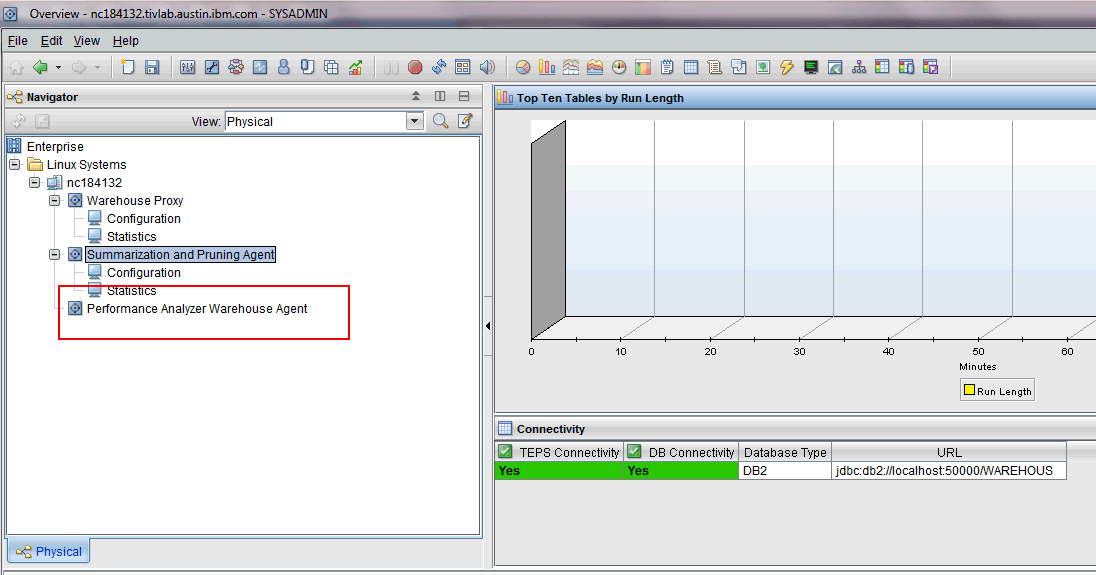

 
Even starting the Tivoli Performance Analyzer Agent will not help. ( note that I have not installed domain definitions.)


Installing the "lz" oS Agent. and configuring the Linux OS Agent- will not relieve this error either.

[root@nc184132 ~]# diff before afterlz
2c2
< *********** Tue Aug 13 05:22:40 CDT 2013 ******************
---
> *********** Tue Aug 13 07:11:27 CDT 2013 ******************
21a22
> lz   Monitoring Agent for Linux OS                             li6263  06.23.01.00   20471           20130813 0653  <=== Linux OS Agent gets installed
23a25,29
> r2   Agentless Monitoring for Windows Operating Systems        li6263  06.23.01.00   201111221341    20130813 0653 <== other OS Agents gets installed as well.
> r3   Agentless Monitoring for AIX Operating Systems            li6263  06.23.01.00   201111221343    20130813 0653
> r4   Agentless Monitoring for Linux Operating Systems          li6263  06.23.01.00   201111221345    20130813 0653
> r5   Agentless Monitoring for HP-UX Operating Systems          li6263  06.23.01.00   201111221347    20130813 0653
> r6   Agentless Monitoring for Solaris Operating Systems        li6263  06.23.01.00   201111221348    20130813 0653
27a34
> uf   Universal Agent Framework                                 li6263  06.23.01.00   d2025a          20130813 0654
28a36,37
> ul   Monitoring Agent for UNIX Logs                            li6263  06.23.01.00   13531           20130813 0653
> um   Universal Agent                                           li6263  06.23.01.00   d2025a          20130813 0654


Notice that the PA still does not have the domain - but the OS Agent attributes show up.


Still the DB COnnection failure occurs.

( configuring  TEPS - will not help ). - itmcmd config -A cq  - does not help.

The message clearly says " DB Connection failure"
or "PA tables does not exist"

Now, Install the PA "Reports and Domains Definitions component" ,and configure TEPS.


If after installing the ITM, ITPA Reports and Domain Definitions and the OS Agent still gets you to the DB connection failure error, then
1. Check the DB tables and see if the KPA tables are present.

They will typically be listed at the top of the list ( connect to WAREHOUS, list tables for all )
 
This gets installed as part of the ITM - Base PA component. If they are not - you need to reinstall the ITM PA components.

Reinstall Base ITM Installation  ( There is no need to reinstall the ITPA report and Domains, only the Base ITM - PA component is enough. )

./install.sh

 Product packages are available for this operating system and component support categories:

 1) IBM Tivoli Monitoring components for this operating system <======
 2) Tivoli Enterprise Portal Browser Client support
 3) Tivoli Enterprise Portal Desktop Client support
 4) Tivoli Enterprise Portal Server support
 5) Tivoli Enterprise Monitoring Server support
 6) Other operating systems

Type the number or type "q" to quit selection
[ number "1" or "IBM Tivoli Monitoring components for this operating system" is default ]:  1

You selected number "1" or "IBM Tivoli Monitoring components for this operating system"

Is the selection correct [ 1=Yes, 2=No ; default is "1" ] ? 1

The following products are available for installation:

 1) Summarization and Pruning Agent  V06.23.01.00
 2) Tivoli Enterprise Monitoring Server  V06.23.01.00
 3) Tivoli Enterprise Portal Desktop Client  V06.23.01.00
 4) Tivoli Enterprise Portal Server  V06.23.01.00
 5) Tivoli Enterprise Services User Interface Extensions  V06.23.01.00
 6) Tivoli Performance Analyzer  V06.23.01.00 <=============
 7) Warehouse Proxy  V06.23.01.00
 8) all of the above

Type the numbers for the products you want to install, type "b" to change operating system, or type "q" to quit selection.
If you enter more than one number, separate the numbers by a comma or a space.

Type your selections here:  6

Type your selections here:  6

The following products will be installed:

  Tivoli Performance Analyzer  V06.23.01.00

Are your selections correct [ 1=Yes, 2=No ; default is "1" ] ? 1
KCIIN2385W
 WARNING - you are about to install the SAME version of "Tivoli Performance Analyzer  V06.23.01.00"

Do you want to install the SAME version [ 1=Yes, 2=No ; default is "2" ] ? 1

 ... installing "Tivoli Performance Analyzer  V06.23.01.00 for Linux Intel R2.6 (32 bit)"; please wait.

 => installed "Tivoli Performance Analyzer  V06.23.01.00 for Linux Intel R2.6 (32 bit)".
... Initializing component Tivoli Performance Analyzer  V06.23.01.00 for Linux Intel R2.6 (32 bit).
... Tivoli Performance Analyzer  V06.23.01.00 for Linux Intel R2.6 (32 bit) initialized.


Do you want to install additional products or product support packages [ 1=Yes, 2=No ; default is "2" ] ? 2
... postprocessing; please wait.


Will install the required KPA tables.

[ I have seen that due to some circumstances that this does not happen occasionally, so retry, Stop Database,   and so on until this is resolved.]]
[[ If this does not gets installed by the base ITM, then installing the OS agent, or the ITPA reports and domains component will not help - as these are critical for the overlying components to work ]] 

KPAATTR                         ITMUSER         T     2013-08-14-04.11.22.449223
KPACONF                         ITMUSER         T     2013-08-14-04.11.24.016938
KPACONSTRAINTS                  ITMUSER         T     2013-08-14-04.11.22.790563
KPADOMAINS                      ITMUSER         T     2013-08-14-04.11.23.864283
KPAEXCCONSTR                    ITMUSER         T     2013-08-14-04.11.23.782160
KPAEXCEPTIONS                   ITMUSER         T     2013-08-14-04.11.23.705660
KPAFOLDERS                      ITMUSER         T     2013-08-14-04.11.23.611851
KPAIDENTDESTS                   ITMUSER         T     2013-08-14-04.11.22.885313
KPAIDENTSRCS                    ITMUSER         T     2013-08-14-04.11.22.974005
KPAJOINS                        ITMUSER         T     2013-08-14-04.11.23.074940
KPALOCK                         ITMUSER         T     2013-08-14-04.11.23.244406
KPANODES                        ITMUSER         T     2013-08-14-04.11.22.592611
KPAOUTPUTS                      ITMUSER         T     2013-08-14-04.11.22.699775
KPAOUTPUTSETS                   ITMUSER         T     2013-08-14-04.11.23.163996
KPAPROPS                        ITMUSER         T     2013-08-14-04.11.22.149638
KPASPSSTASKS                    ITMUSER         T     2013-08-14-04.11.23.517487
KPATASKS                        ITMUSER         T     2013-08-14-04.11.21.940059
KPATFRAMES                      ITMUSER         T     2013-08-14-04.11.23.343293
UTF8TEST                        ITMUSER         T     2013-08-13-06.07.36.412148
WAREHOUSEAGGREGLOG              ITMUSER         T     2013-08-14-02.00.10.858927
WAREHOUSEID                     ITMUSER         T     2013-08-13-06.07.37.170945


./install.sh
 
All agents require that application support files that contain agent-specific information be installed on the Tivoli Enterprise Monitoring Server that the agents will connect to, Tivoli Enterprise Portal Server and Tivoli Enterprise Portal desktop and browser client. Install application support before starting to install any Tivoli Enterprise Monitoring Agents.

Product packages are available for this operating system and component support categories:


 1) IBM Tivoli Monitoring components for this operating system
 2) Tivoli Enterprise Portal Browser Client support
 3) Tivoli Enterprise Portal Desktop Client support
 4) Tivoli Enterprise Portal Server support
 5) Tivoli Enterprise Monitoring Server support
 6) Other operating systems

Type the number or type "q" to quit selection
[ number "1" or "IBM Tivoli Monitoring components for this operating system" is default ]:  1

You selected number "1" or "IBM Tivoli Monitoring components for this operating system"

Is the selection correct [ 1=Yes, 2=No ; default is "1" ] ? 1

The following products are available for installation:

 1) Summarization and Pruning Agent  V06.23.01.00
 2) Tivoli Enterprise Monitoring Server  V06.23.01.00
 3) Tivoli Enterprise Portal Desktop Client  V06.23.01.00
 4) Tivoli Enterprise Portal Server  V06.23.01.00
 5) Tivoli Enterprise Services User Interface Extensions  V06.23.01.00
 6) Tivoli Performance Analyzer  V06.23.01.00
 7) Warehouse Proxy  V06.23.01.00
 8) all of the above

Type the numbers for the products you want to install, type "b" to change operating system, or type "q" to quit selection.
If you enter more than one number, separate the numbers by a comma or a space.

Type your selections here:  6


The following products will be installed:

  Tivoli Performance Analyzer  V06.23.01.00

Are your selections correct [ 1=Yes, 2=No ; default is "1" ] ? 1
KCIIN2385W
 WARNING - you are about to install the SAME version of "Tivoli Performance Analyzer  V06.23.01.00"

Do you want to install the SAME version [ 1=Yes, 2=No ; default is "2" ] ? 1

 ... installing "Tivoli Performance Analyzer  V06.23.01.00 for Linux Intel R2.6 (32 bit)"; please wait.

 => installed "Tivoli Performance Analyzer  V06.23.01.00 for Linux Intel R2.6 (32 bit)".
... Initializing component Tivoli Performance Analyzer  V06.23.01.00 for Linux Intel R2.6 (32 bit).
... Tivoli Performance Analyzer  V06.23.01.00 for Linux Intel R2.6 (32 bit) initialized.


Do you want to install additional products or product support packages [ 1=Yes, 2=No ; default is "2" ] ? 1

Product packages are available for this operating system and component support categories:

 1) IBM Tivoli Monitoring components for this operating system
 2) Tivoli Enterprise Portal Browser Client support
 3) Tivoli Enterprise Portal Desktop Client support
 4) Tivoli Enterprise Portal Server support
 5) Tivoli Enterprise Monitoring Server support
 6) Other operating systems

Type the number or type "q" to quit selection
[ number "1" or "IBM Tivoli Monitoring components for this operating system" is default ]:  4

You selected number "4" or "Tivoli Enterprise Portal Server support"


Is the selection correct [ 1=Yes, 2=No ; default is "1" ] ? 1

The following application supports are available for installation:

 1) Agentless Monitoring for AIX Operating Systems  V06.23.01.00
 2) Agentless Monitoring for HP-UX Operating Systems  V06.23.01.00
 3) Agentless Monitoring for Linux Operating Systems  V06.23.01.00
 4) Agentless Monitoring for Solaris Operating Systems  V06.23.01.00
 5) Agentless Monitoring for Windows Operating Systems  V06.23.01.00
 6) Monitoring Agent for IBM Tivoli Monitoring 5.x Endpoint  V06.23.01.00
 7) Monitoring Agent for Linux OS  V06.23.01.00
 8) Monitoring Agent for UNIX Logs  V06.23.01.00
 9) Monitoring Agent for UNIX OS  V06.23.01.00
10) Monitoring Agent for Windows OS  V06.23.01.00
11) Monitoring Agent for i5/OS  V06.23.01.00
12) Summarization and Pruning Agent  V06.23.01.00
13) TEC GUI Integration  V06.23.01.00
14) Tivoli Performance Analyzer  V06.23.01.00
15) Universal Agent  V06.23.01.00
16) Warehouse Proxy  V06.23.01.00
17) all of the above

Type the numbers for the products you want to install, type "b" to change operating system, or type "q" to quit selection.
If you enter more than one number, separate the numbers by a comma or a space.

Type your selections here:  14

The following products will be installed:

  Tivoli Performance Analyzer  V06.23.01.00

Are your selections correct [ 1=Yes, 2=No ; default is "1" ] ? 1
KCIIN2385W
 WARNING - you are about to install the SAME version of "Tivoli Performance Analyzer  V06.23.01.00"

Do you want to install the SAME version [ 1=Yes, 2=No ; default is "2" ] ? 1

 ... installing "Tivoli Performance Analyzer  V06.23.01.00 for Tivoli Enterprise Portal Server support"; please wait.

 => installed "Tivoli Performance Analyzer  V06.23.01.00 for Tivoli Enterprise Portal Server support".
... Initializing component Tivoli Performance Analyzer  V06.23.01.00 for Tivoli Enterprise Portal Server support.
... Tivoli Performance Analyzer  V06.23.01.00 for Tivoli Enterprise Portal Server support initialized.


Installing ITM only, without installing OS Agent ( lz) or PA Agent, DB Connection failure.

This was attempted on RHEL 5.5 - ITM 6.2.3 FP1

By installing the default ITM base components - see the list of default product  description that gets installed in the cinfo - output below.

My notes :

"PA" gets installed. ( Performance Analyzer default base component gets installed - this means that although the Reports and Domain definitions component is not installed - the necessary support PA
gets installed )


"OS Agent "lz" Application Support gets installed - but the "lz" product does not get installed.
( see the "lz" is missing in the Product Description, but is present in the "Application Support" )
( If you had installed the "OS Agent" then a corresponding line in the Product Desc" would appear )


At this point - You cannot start the "TEPS" since the "Start" option is not available in the MTEMS GUI.
You have to CONFIGURE the TEP first, to start the TEPS.

The DB2 - tables will NOT have the KPAATTR etc, since the PA is not installed.

- 393 tables in the Database are present by default.

- The TEPS was configured for the same TEMS on the same server to get this message.

- I have not configured the WPA and the SPA - at this point.  

- For the TEPS GUI - to come up - the WPA and SPA need not be configured.


You will get the DB connection Failure ! if you try to configure TEPS and click on the PA Configuration button.


cinfo -t output is as follows:


*********** Tue Aug 13 05:22:40 CDT 2013 ******************
User: root Groups: root bin daemon sys adm disk wheel
Host name : nc184132     Installer Lvl:06.23.01.00
CandleHome: /opt/IBM/ITM
Version Format: VV.RM.FF.II (V: Version; R: Release; M: Modification; F: Fix; I: Interim Fix)
***********************************************************
...Product inventory

PC   PRODUCT DESC                                              PLAT    VER           BUILD           INSTALL DATE

ax   IBM Tivoli Monitoring Shared Libraries                    li6263  06.23.01.00   d2050a          20130813 0430
cj   Tivoli Enterprise Portal Desktop Client                   li6263  06.23.01.00   d2050a          20130813 0434
cq   Tivoli Enterprise Portal Server                           li6263  06.23.01.00   d2050a          20130813 0438
cw   Tivoli Enterprise Portal Browser Client                   li6263  06.23.01.00   d2050a          20130813 0435
gs   IBM GSKit Security Interface                              li6243  07.40.27.00   d2031a          -
hd   Warehouse Proxy                                           li6263  06.23.01.00   d2050a          20130813 0446
iu   IBM HTTP Server                                           li6263  07.00.00.00   d2031a          20130813 0436
iw   IBM Tivoli Enterprise Portal Server Extensions            li6263  07.00.19.00   d2031a          20130813 0437
jr   Tivoli Enterprise-supplied JRE                            li6263  06.09.02.00   d2031a          -
kf   IBM Eclipse Help Server                                   li6263  06.23.01.00   d2031a          20130813 0437
ms   Tivoli Enterprise Monitoring Server                       li6263  06.23.01.00   d2050a          20130813 0431
pa   Tivoli Performance Analyzer                               li6263  06.23.01.00   20551           20130813 0446
sh   Tivoli Enterprise Monitoring SOAP Server                  li6263  06.23.01.00   d2050a          20130813 0431
sy   Summarization and Pruning Agent                           li6263  06.23.01.00   d2047a          20130813 0430
t1   File Transfer Enablement                                  li6263  07.30.00.00   20100000-0000   -
ue   Tivoli Enterprise Services User Interface Extensions      li6263  06.23.01.00   d2050a          20130813 0431
ui   Tivoli Enterprise Services User Interface                 li6263  06.23.01.00   d2050a          20130813 0430


PC   APPLICATION SUPPORT DESC                                  PLAT    APP VER       BUILD           INSTALL DATE

a4   Monitoring Agent for i5/OS                                tms     06.23.01.00   20511           20130813 0446
a4   Monitoring Agent for i5/OS                                tpd     06.23.01.00   20511           20130813 0506
a4   Monitoring Agent for i5/OS                                tps     06.23.01.00   20511           20130813 0507
a4   Monitoring Agent for i5/OS                                tpw     06.23.01.00   20511           20130813 0504
hd   Warehouse Proxy                                           tms     06.23.01.00   d2050a          20130813 0446
hd   Warehouse Proxy                                           tpd     06.23.01.00   d2050a          20130813 0506
hd   Warehouse Proxy                                           tps     06.23.01.00   d2050a          20130813 0508
hd   Warehouse Proxy                                           tpw     06.23.01.00   d2050a          20130813 0505
it   TEC GUI Integration                                       tpd     06.23.01.00   d2031a          20130813 0506
it   TEC GUI Integration                                       tps     06.23.01.00   d2031a          20130813 0508
it   TEC GUI Integration                                       tpw     06.23.01.00   d2031a          20130813 0505
lz   Monitoring Agent for Linux OS                             tms     06.23.01.00   20471           20130813 0446
lz   Monitoring Agent for Linux OS                             tpd     06.23.01.00   20471           20130813 0506
lz   Monitoring Agent for Linux OS                             tps     06.23.01.00   20471           20130813 0507
lz   Monitoring Agent for Linux OS                             tpw     06.23.01.00   20471           20130813 0504
ms   Tivoli Enterprise Monitoring Server                       tms     06.23.01.00   d2050a          20130813 0446
nt   Monitoring Agent for Windows OS                           tms     06.23.01.00   20471           20130813 0446
nt   Monitoring Agent for Windows OS                           tpd     06.23.01.00   20471           20130813 0506
nt   Monitoring Agent for Windows OS                           tps     06.23.01.00   20471           20130813 0507
nt   Monitoring Agent for Windows OS                           tpw     06.23.01.00   20471           20130813 0504
pa   Tivoli Performance Analyzer                               tms     06.23.01.00   20551           20130813 0446
pa   Tivoli Performance Analyzer                               tpd     06.23.01.00   20551           20130813 0506
pa   Tivoli Performance Analyzer                               tps     06.23.01.00   20551           20130813 0508
pa   Tivoli Performance Analyzer                               tpw     06.23.01.00   20551           20130813 0505
r2   Agentless Monitoring for Windows Operating Systems        tms     06.23.01.00   201111221341    20130813 0446
r2   Agentless Monitoring for Windows Operating Systems        tpd     06.23.01.00   201111221341    20130813 0506
r2   Agentless Monitoring for Windows Operating Systems        tps     06.23.01.00   201111221341    20130813 0507

r3   Agentless Monitoring for AIX Operating Systems            tms     06.23.01.00   201111221343    20130813 0446
r3   Agentless Monitoring for AIX Operating Systems            tpd     06.23.01.00   201111221343    20130813 0506
r3   Agentless Monitoring for AIX Operating Systems            tps     06.23.01.00   201111221343    20130813 0507
r3   Agentless Monitoring for AIX Operating Systems            tpw     06.23.01.00   201111221343    20130813 0504
r4   Agentless Monitoring for Linux Operating Systems          tms     06.23.01.00   201111221345    20130813 0446
r4   Agentless Monitoring for Linux Operating Systems          tpd     06.23.01.00   201111221345    20130813 0506
r4   Agentless Monitoring for Linux Operating Systems          tps     06.23.01.00   201111221345    20130813 0507
r4   Agentless Monitoring for Linux Operating Systems          tpw     06.23.01.00   201111221345    20130813 0504
r5   Agentless Monitoring for HP-UX Operating Systems          tms     06.23.01.00   201111221347    20130813 0446
r5   Agentless Monitoring for HP-UX Operating Systems          tpd     06.23.01.00   201111221347    20130813 0506
r5   Agentless Monitoring for HP-UX Operating Systems          tps     06.23.01.00   201111221347    20130813 0507
r5   Agentless Monitoring for HP-UX Operating Systems          tpw     06.23.01.00   201111221347    20130813 0504
r6   Agentless Monitoring for Solaris Operating Systems        tms     06.23.01.00   201111221348    20130813 0446
r6   Agentless Monitoring for Solaris Operating Systems        tpd     06.23.01.00   201111221348    20130813 0506
r6   Agentless Monitoring for Solaris Operating Systems        tps     06.23.01.00   201111221348    20130813 0507
r6   Agentless Monitoring for Solaris Operating Systems        tpw     06.23.01.00   201111221348    20130813 0504
sy   Summarization and Pruning Agent                           tms     06.23.01.00   d2047a          20130813 0446
sy   Summarization and Pruning Agent                           tpd     06.23.01.00   d2047a          20130813 0506
sy   Summarization and Pruning Agent                           tps     06.23.01.00   d2047a          20130813 0508
sy   Summarization and Pruning Agent                           tpw     06.23.01.00   d2047a          20130813 0504
tm   Monitoring Agent for IBM Tivoli Monitoring 5.x Endpoint   tms     06.23.01.00   d2031a          20130813 0446
tm   Monitoring Agent for IBM Tivoli Monitoring 5.x Endpoint   tps     06.23.01.00   d2031a          20130813 0507
ul   Monitoring Agent for UNIX Logs                            tms     06.23.01.00   13531           20130813 0446
ul   Monitoring Agent for UNIX Logs                            tpd     06.23.01.00   13531           20130813 0506
ul   Monitoring Agent for UNIX Logs                            tps     06.23.01.00   13531           20130813 0507
ul   Monitoring Agent for UNIX Logs                            tpw     06.23.01.00   13531           20130813 0504
um   Universal Agent                                           tms     06.23.01.00   d2025a          20130813 0446
um   Universal Agent                                           tpd     06.23.01.00   d2025a          20130813 0506
um   Universal Agent                                           tps     06.23.01.00   d2025a          20130813 0508
um   Universal Agent                                           tpw     06.23.01.00   d2025a          20130813 0505
ux   Monitoring Agent for UNIX OS                              tms     06.23.01.00   20541           20130813 0446
ux   Monitoring Agent for UNIX OS                              tpd     06.23.01.00   20541           20130813 0506
ux   Monitoring Agent for UNIX OS                              tps     06.23.01.00   20541           20130813 0507
ux   Monitoring Agent for UNIX OS                              tpw     06.23.01.00   20541           20130813 0504


db2 drop WAREHOUS - how to delete using force.


db2 => connect to warehous

   Database Connection Information

 Database server        = DB2/LINUX 9.7.4
 SQL authorization ID   = DB2INST1
 Local database alias   = WAREHOUS


db2 => list db directory

 System Database Directory

 Number of entries in the directory = 2

Database 1 entry:

 Database alias                       = TEPS
 Database name                        = TEPS
 Local database directory             = /home/db2inst1
 Database release level               = d.00
 Comment                              =
 Directory entry type                 = Indirect
 Catalog database partition number    = 0
 Alternate server hostname            =
 Alternate server port number         =

Database 2 entry:

 Database alias                       = WAREHOUS
 Database name                        = WAREHOUS
 Local database directory             = /home/db2inst1
 Database release level               = d.00
 Comment                              =
 Directory entry type                 = Indirect
 Catalog database partition number    = 0
 Alternate server hostname            =
 Alternate server port number         =


quit 

 db2 force applications all
DB20000I  The FORCE APPLICATION command completed successfully.
DB21024I  This command is asynchronous and may not be effective immediately.

db2 drop database TEPS

-or-
db2  //connect to warehous - first.
drop database TEPS


To drop the WAREHOUS database:( this is if you want to start all over fresh )
 
db2 => drop database WAREHOUS
SQL1035N  The database is currently in use.  SQLSTATE=57019
db2 => quit


db2 => drop database WAREHOUS
DB20000I  The DROP DATABASE command completed successfully. <====== SUCCESS at last.

db2 => list db directory
SQL1057W  The system database directory is empty.  SQLSTATE=01606


Unable to launch the application - during TEP GUI Launch


java.lang.RuntimeException: ERROR: Failed to recover corrupt cache entry <========== Click on Details -> Exception
        at com.sun.deploy.cache.CacheEntry.recover(CacheEntry.java:1557)
        at com.sun.deploy.cache.CacheEntry.getSignerMap(CacheEntry.java:1109)
        at com.sun.deploy.cache.CachedJarFile.getSignerMap(CachedJarFile.java:325)
        at com.sun.deploy.cache.CachedJarFile.getCodeSource(CachedJarFile.java:691)
        at com.sun.deploy.cache.DeployCacheJarAccessImpl.getCodeSource(DeployCacheJarAccessImpl.java:65)
        at com.sun.javaws.security.SigningInfo.getCommonCodeSignersForJar(SigningInfo.java:389)
        at com.sun.javaws.security.SigningInfo.check(SigningInfo.java:276)
        at com.sun.javaws.LaunchDownload.checkSignedResourcesHelper(LaunchDownload.java:1749)
        at com.sun.javaws.LaunchDownload.checkSignedResources(LaunchDownload.java:1512)
        at com.sun.javaws.Launcher.prepareResources(Laun


To fix this:

Stop all the ITM processes

check that the
        c:\windows\system32\drivers\etc\hosts

In this check that the entry for nc184132 is there.

9.182.8.228        d23ml198.in.ibm.com
9.48.184.132           nc184132  nc184132.tivlab.austin.ibm.com  <=====  I put this earlier because the 'hostname' gave me the name without the domain.
 
Clear the Cache in FF.

Tools -> Clear Recent History


Exit the FF browser. ( go to taskmgr - and search for FF and kill it -if this FF is not running and if you get the message that FF is still running )

-

Also - is there multiple entries of java processes running when there taskmgr is running.

"End Process"


Next,  go to the Java CPL  console and delete all cache.


Right click and delete all temporary files.( the cache files gets deleted )

FF - refresh the cache - stop it and restart it

Launch the web start and if you see the Java applet - before the "Downloading Application" that means things are starting afresh.

This should start the Java TEPS GUI application.

If you see all of this below - this is a good sign.


Monday, August 12, 2013

Installing Reports and Domain Definitions on ITPA. ( install.sh procedures )

These snapshots are from installing the 623 FP1 - Reports and Domain Definitions -

These were taken after the ITM and the OS Agent were installed.


Select '1'


Now, I installed ITPA - but did not configure it.

cinfo -t  
will list the domains installed.

[root@nc184132 ~]# diff before after ( After lists the domains installed )
2c2
< *********** Mon Aug 12 08:10:12 CDT 2013 ******************
---
> *********** Mon Aug 12 08:57:57 CDT 2013 ******************
53a54,61
> p0   Performance Analyzer Domain for DB2                       tpa     06.23.01.00   20552           20130812 0831
> p3   Performance Analyzer Domain for OS agent                  tms     06.23.01.00   20552           20130812 0832
> p3   Performance Analyzer Domain for OS agent                  tpa     06.23.01.00   20552           20130812 0831
> p3   Performance Analyzer Domain for OS agent                  tpd     06.23.01.00   20552           20130812 0829
> p3   Performance Analyzer Domain for OS agent                  tps     06.23.01.00   20552           20130812 0830
> p3   Performance Analyzer Domain for OS agent                  tpw     06.23.01.00   20552           20130812 0828
> p4   Performance Analyzer Domain for Oracle                    tpa     06.23.01.00   20552           20130812 0831
> p6   Performance Analyzer Domain for System p                  tpa     06.23.01.00   20552           20130812 0831
57a66,67
> pi   Performance Analyzer Domain for ITCAM RT                  tpa     06.23.01.00   20552           20130812 0831
> pu   Performance Analyzer Domain for VMware                    tpa     06.23.01.00   20552           20130812 0831


The PA button is on the TEP GUI.

and the  codes for the Agent are still showingup - this is not readable.
in order to make it readable one has to configure the TEPS.
( which will be covered in the next blog )

What happens if "lz" OSA agent is installed on ITM .

If the Linux OS Agent is installed on a RHEL server after installing the ITM base components.,

If the user runs the cinfo -t  to check the list of installed products......


cinfo -t
*********** Mon Aug 12 08:10:12 CDT 2013 ******************
User: root Groups: root bin daemon sys adm disk wheel
Host name : nc184132     Installer Lvl:06.23.01.00
CandleHome: /opt/IBM/ITM
Version Format: VV.RM.FF.II (V: Version; R: Release; M: Modification; F: Fix; I: Interim Fix)
***********************************************************
...Product inventory


PC   PRODUCT DESC                                              PLAT    VER           BUILD           INSTALL DATE
lz   Monitoring Agent for Linux OS                             li6263  06.23.01.00   20471           20130812 0809  <====


PC   APPLICATION SUPPORT DESC                                  PLAT    APP VER       BUILD           INSTALL DATE

a4   Monitoring Agent for i5/OS                                tms     06.23.01.00   20511           20130812 0532
a4   Monitoring Agent for i5/OS                                tpd     06.23.01.00   20511           20130812 0545
a4   Monitoring Agent for i5/OS                                tps     06.23.01.00   20511           20130812 0547
a4   Monitoring Agent for i5/OS                                tpw     06.23.01.00   20511           20130812 0543
hd   Warehouse Proxy                                           tms     06.23.01.00   d2050a          20130812 0532
hd   Warehouse Proxy                                           tpd     06.23.01.00   d2050a          20130812 0545
hd   Warehouse Proxy                                           tps     06.23.01.00   d2050a          20130812 0547
hd   Warehouse Proxy                                           tpw     06.23.01.00   d2050a          20130812 0543
it   TEC GUI Integration                                       tpd     06.23.01.00   d2031a          20130812 0545
it   TEC GUI Integration                                       tps     06.23.01.00   d2031a          20130812 0547
it   TEC GUI Integration                                       tpw     06.23.01.00   d2031a          20130812 0543
lz   Monitoring Agent for Linux OS                             tms     06.23.01.00   20471           20130812 0532  <============
lz   Monitoring Agent for Linux OS                             tpd     06.23.01.00   20471           20130812 0544
lz   Monitoring Agent for Linux OS                             tps     06.23.01.00   20471           20130812 0546
lz   Monitoring Agent for Linux OS                             tpw     06.23.01.00   20471           20130812 0542


Note: This output is after we have installed the ITM - base components. ( ITPA Reports and Domain Definitions is not installed at this point )

Thursday, August 8, 2013

If ONLY the ITM Tivoli Monitoring Components are installed.

If TEPS is going to be installed on a separate server.

1. install.sh
Product packages are available for this operating system and component support categories:

 1) IBM Tivoli Monitoring components for this operating system


2. In this case I have installed the DB2 on the same server where the ITM  TEPS is installed.


3. Configure the TEPS to talk to a TEMS on a "different" server.


4. Once done - the TEPS GUI will come up and the PA configuration button will be on it.
On clicking - since the PA is not installed - you will get this error message .


- So, I installed the "lz" so that it will go into the product section - but is not required .

( This is really not required - as the application supports for the "lz" agent gets installed during the ITM components installation )


[root@nc184132 itm_623fp1]# diff itm_and_agent_components_only itm_components_only
2c2
< *********** Wed Aug  7 04:13:14 CDT 2013 ******************
---
> *********** Tue Aug  6 01:14:33 CDT 2013 ******************
22d21
< lz   Monitoring Agent for Linux OS                             li6263  06.23.01.00   20471           20130807 0401

The lz gets added in the productdescription - but not required I think.


Now, I added the ITPA component and ran the cinfo -t

[root@nc184132 itm_623fp1]# diff itm_components_only  itm_agent_itpa_components_only
2c2
< *********** Tue Aug  6 01:14:33 CDT 2013 ******************
---
> *********** Wed Aug  7 05:00:41 CDT 2013 ******************
21a22
> lz   Monitoring Agent for Linux OS                             li6263  06.23.01.00   20471           20130807 0401
52a54,61
> p0   Performance Analyzer Domain for DB2                       tpa     06.23.01.00   20552           20130807 0427
> p3   Performance Analyzer Domain for OS agent                  tms     06.23.01.00   20552           20130807 0428
> p3   Performance Analyzer Domain for OS agent                  tpa     06.23.01.00   20552           20130807 0427
> p3   Performance Analyzer Domain for OS agent                  tpd     06.23.01.00   20552           20130807 0426
> p3   Performance Analyzer Domain for OS agent                  tps     06.23.01.00   20552           20130807 0427
> p3   Performance Analyzer Domain for OS agent                  tpw     06.23.01.00   20552           20130807 0425
> p4   Performance Analyzer Domain for Oracle                    tpa     06.23.01.00   20552           20130807 0427
> p6   Performance Analyzer Domain for System p                  tpa     06.23.01.00   20552           20130807 0427
56a66,67
> pi   Performance Analyzer Domain for ITCAM RT                  tpa     06.23.01.00   20552           20130807 0427
> pu   Performance Analyzer Domain for VMware                    tpa     06.23.01.00   20552           20130807 0427


The ones in red got added to the Application Support paragraph.

=== IF YOU DO NOT CONFIGURE THE CQ THEN THE PA CONFIGURATION APPLET WILL NOT COME UP RIGHT.==

Run the configuration now.


Select one of the following:

1) Install products to the local host.
2) Install products to depot for remote deployment (requires TEMS).
3) Install TEMS support for remote seeding
4) Exit install.


Please enter a valid number:  1

Initializing ...
International Program License Agreement

Part 1 - General Terms

BY DOWNLOADING, INSTALLING, COPYING, ACCESSING, CLICKING ON
AN "ACCEPT" BUTTON, OR OTHERWISE USING THE PROGRAM,
LICENSEE AGREES TO THE TERMS OF THIS AGREEMENT. IF YOU ARE
ACCEPTING THESE TERMS ON BEHALF OF LICENSEE, YOU REPRESENT
AND WARRANT THAT YOU HAVE FULL AUTHORITY TO BIND LICENSEE
TO THESE TERMS. IF YOU DO NOT AGREE TO THESE TERMS,

* DO NOT DOWNLOAD, INSTALL, COPY, ACCESS, CLICK ON AN
"ACCEPT" BUTTON, OR USE THE PROGRAM; AND

* PROMPTLY RETURN THE UNUSED MEDIA, DOCUMENTATION, AND

Press Enter to continue viewing the license agreement, or
enter "1" to accept the agreement, "2" to decline it, "3"
to print it, "4" to read non-IBM terms, or "99" to go back
to the previous screen.

Product packages are available for this operating system and component support categories:

 1) IBM Tivoli Monitoring components for this operating system
 2) Tivoli Enterprise Portal Browser Client support
 3) Tivoli Enterprise Portal Desktop Client support
 4) Tivoli Enterprise Portal Server support
 5) Tivoli Enterprise Monitoring Server support
 6) Other operating systems

Type the number or type "q" to quit selection
[ number "1" or "IBM Tivoli Monitoring components for this operating system" is default ]:

Type the number or type "q" to quit selection
[ number "1" or "IBM Tivoli Monitoring components for this operating system" is default ]:  1

You selected number "1" or "IBM Tivoli Monitoring components for this operating system"

Is the selection correct [ 1=Yes, 2=No ; default is "1" ] ? 1

The following products are available for installation:

 1) Summarization and Pruning Agent  V06.23.01.00
 2) Tivoli Enterprise Monitoring Server  V06.23.01.00
 3) Tivoli Enterprise Portal Desktop Client  V06.23.01.00
 4) Tivoli Enterprise Portal Server  V06.23.01.00
 5) Tivoli Enterprise Services User Interface Extensions  V06.23.01.00
 6) Tivoli Performance Analyzer  V06.23.01.00
 7) Warehouse Proxy  V06.23.01.00
 8) all of the above

Type the numbers for the products you want to install, type "b" to change operating system, or type "q" to quit selection.
If you enter more than one number, separate the numbers by a comma or a space.

Type your selections here:

[[ shashi ; I installed the  "1) IBM Tivoli Monitoring components for this operating system  "  and all the   client support  options ]]

cinfo -t
*********** Tue Aug  6 01:14:33 CDT 2013 ******************
User: root Groups: root bin daemon sys adm disk wheel
Host name : nc184132     Installer Lvl:06.23.01.00
CandleHome: /opt/IBM/ITM
Version Format: VV.RM.FF.II (V: Version; R: Release; M: Modification; F: Fix; I: Interim Fix)
***********************************************************
...Product inventory

PC   PRODUCT DESC                                              PLAT    VER           BUILD           INSTALL DATE

ax   IBM Tivoli Monitoring Shared Libraries                    li6263  06.23.01.00   d2050a          20130805 0424
cj   Tivoli Enterprise Portal Desktop Client                   li6263  06.23.01.00   d2050a          20130805 0425
cq   Tivoli Enterprise Portal Server                           li6263  06.23.01.00   d2050a          20130805 0430
cw   Tivoli Enterprise Portal Browser Client                   li6263  06.23.01.00   d2050a          20130805 0426
gs   IBM GSKit Security Interface                              li6243  07.40.27.00   d2031a          -
hd   Warehouse Proxy                                           li6263  06.23.01.00   d2050a          20130805 0439
iu   IBM HTTP Server                                           li6263  07.00.00.00   d2031a          20130805 0427
iw   IBM Tivoli Enterprise Portal Server Extensions            li6263  07.00.19.00   d2031a          20130805 0429
jr   Tivoli Enterprise-supplied JRE                            li6263  06.09.02.00   d2031a          -
kf   IBM Eclipse Help Server                                   li6263  06.23.01.00   d2031a          20130805 0430
ms   Tivoli Enterprise Monitoring Server                       li6263  06.23.01.00   d2050a          20130805 0425
pa   Tivoli Performance Analyzer                               li6263  06.23.01.00   20551           20130805 0439  <== This gets installed when ITM components are installed ( ITPA is not even installed at this point )
sh   Tivoli Enterprise Monitoring SOAP Server                  li6263  06.23.01.00   d2050a          20130805 0425
sy   Summarization and Pruning Agent                           li6263  06.23.01.00   d2047a          20130805 0424
t1   File Transfer Enablement                                  li6263  07.30.00.00   20100000-0000   -
ue   Tivoli Enterprise Services User Interface Extensions      li6263  06.23.01.00   d2050a          20130805 0425
ui   Tivoli Enterprise Services User Interface                 li6263  06.23.01.00   d2050a          20130805 0424


PC   APPLICATION SUPPORT DESC                                  PLAT    APP VER       BUILD           INSTALL DATE

a4   Monitoring Agent for i5/OS                                tms     06.23.01.00   20511           20130805 0439
a4   Monitoring Agent for i5/OS                                tpd     06.23.01.00   20511           20130805 0445
a4   Monitoring Agent for i5/OS                                tps     06.23.01.00   20511           20130805 0446
a4   Monitoring Agent for i5/OS                                tpw     06.23.01.00   20511           20130805 0444
hd   Warehouse Proxy                                           tms     06.23.01.00   d2050a          20130805 0439
hd   Warehouse Proxy                                           tpd     06.23.01.00   d2050a          20130805 0446
hd   Warehouse Proxy                                           tps     06.23.01.00   d2050a          20130805 0447
hd   Warehouse Proxy                                           tpw     06.23.01.00   d2050a          20130805 0444
it   TEC GUI Integration                                       tpd     06.23.01.00   d2031a          20130805 0446
it   TEC GUI Integration                                       tps     06.23.01.00   d2031a          20130805 0446
it   TEC GUI Integration                                       tpw     06.23.01.00   d2031a          20130805 0444
lz   Monitoring Agent for Linux OS                             tms     06.23.01.00   20471           20130805 0439
lz   Monitoring Agent for Linux OS                             tpd     06.23.01.00   20471           20130805 0445
lz   Monitoring Agent for Linux OS                             tps     06.23.01.00   20471           20130805 0446
lz   Monitoring Agent for Linux OS                             tpw     06.23.01.00   20471           20130805 0443
ms   Tivoli Enterprise Monitoring Server                       tms     06.23.01.00   d2050a          20130805 0439
nt   Monitoring Agent for Windows OS                           tms     06.23.01.00   20471           20130805 0439
nt   Monitoring Agent for Windows OS                           tpd     06.23.01.00   20471           20130805 0445
nt   Monitoring Agent for Windows OS                           tps     06.23.01.00   20471           20130805 0446
nt   Monitoring Agent for Windows OS                           tpw     06.23.01.00   20471           20130805 0443
pa   Tivoli Performance Analyzer                               tms     06.23.01.00   20551           20130805 0439
pa   Tivoli Performance Analyzer                               tpd     06.23.01.00   20551           20130805 0446
pa   Tivoli Performance Analyzer                               tps     06.23.01.00   20551           20130805 0446
pa   Tivoli Performance Analyzer                               tpw     06.23.01.00   20551           20130805 0444
r2   Agentless Monitoring for Windows Operating Systems        tms     06.23.01.00   201111221341    20130805 0439
r2   Agentless Monitoring for Windows Operating Systems        tpd     06.23.01.00   201111221341    20130805 0445
r2   Agentless Monitoring for Windows Operating Systems        tps     06.23.01.00   201111221341    20130805 0446
r2   Agentless Monitoring for Windows Operating Systems        tpw     06.23.01.00   201111221341    20130805 0443
r3   Agentless Monitoring for AIX Operating Systems            tms     06.23.01.00   201111221343    20130805 0439
r3   Agentless Monitoring for AIX Operating Systems            tpd     06.23.01.00   201111221343    20130805 0445
r3   Agentless Monitoring for AIX Operating Systems            tps     06.23.01.00   201111221343    20130805 0446
r3   Agentless Monitoring for AIX Operating Systems            tpw     06.23.01.00   201111221343    20130805 0442
r4   Agentless Monitoring for Linux Operating Systems          tms     06.23.01.00   201111221345    20130805 0439
r4   Agentless Monitoring for Linux Operating Systems          tpd     06.23.01.00   201111221345    20130805 0445
r4   Agentless Monitoring for Linux Operating Systems          tps     06.23.01.00   201111221345    20130805 0446
r4   Agentless Monitoring for Linux Operating Systems          tpw     06.23.01.00   201111221345    20130805 0443
r5   Agentless Monitoring for HP-UX Operating Systems          tms     06.23.01.00   201111221347    20130805 0439
r5   Agentless Monitoring for HP-UX Operating Systems          tpd     06.23.01.00   201111221347    20130805 0445
r5   Agentless Monitoring for HP-UX Operating Systems          tps     06.23.01.00   201111221347    20130805 0446
r5   Agentless Monitoring for HP-UX Operating Systems          tpw     06.23.01.00   201111221347    20130805 0443
r6   Agentless Monitoring for Solaris Operating Systems        tms     06.23.01.00   201111221348    20130805 0439
r6   Agentless Monitoring for Solaris Operating Systems        tpd     06.23.01.00   201111221348    20130805 0445
r6   Agentless Monitoring for Solaris Operating Systems        tps     06.23.01.00   201111221348    20130805 0446
r6   Agentless Monitoring for Solaris Operating Systems        tpw     06.23.01.00   201111221348    20130805 0443
sy   Summarization and Pruning Agent                           tms     06.23.01.00   d2047a          20130805 0439
sy   Summarization and Pruning Agent                           tpd     06.23.01.00   d2047a          20130805 0445
sy   Summarization and Pruning Agent                           tps     06.23.01.00   d2047a          20130805 0446
sy   Summarization and Pruning Agent                           tpw     06.23.01.00   d2047a          20130805 0444
tm   Monitoring Agent for IBM Tivoli Monitoring 5.x Endpoint   tms     06.23.01.00   d2031a          20130805 0439
tm   Monitoring Agent for IBM Tivoli Monitoring 5.x Endpoint   tps     06.23.01.00   d2031a          20130805 0446
ul   Monitoring Agent for UNIX Logs                            tms     06.23.01.00   13531           20130805 0439
ul   Monitoring Agent for UNIX Logs                            tpd     06.23.01.00   13531           20130805 0445
ul   Monitoring Agent for UNIX Logs                            tps     06.23.01.00   13531           20130805 0446
ul   Monitoring Agent for UNIX Logs                            tpw     06.23.01.00   13531           20130805 0443
um   Universal Agent                                           tms     06.23.01.00   d2025a          20130805 0439
um   Universal Agent                                           tpd     06.23.01.00   d2025a          20130805 0446
um   Universal Agent                                           tps     06.23.01.00   d2025a          20130805 0447
um   Universal Agent                                           tpw     06.23.01.00   d2025a          20130805 0444
ux   Monitoring Agent for UNIX OS                              tms     06.23.01.00   20541           20130805 0439
ux   Monitoring Agent for UNIX OS                              tpd     06.23.01.00   20541           20130805 0445
ux   Monitoring Agent for UNIX OS                              tps     06.23.01.00   20541           20130805 0446
ux   Monitoring Agent for UNIX OS                              tpw     06.23.01.00   20541           20130805 0443